





Free airport Wi-Fi in Hurghada, Sharm, Antalya, Istanbul, Dubai, Phuket and Phu Quoc: how to connect and what to do if it doesn't work
 Mykyta Dzhus · Updated 2026-11-13 · 19 min read · eSIM & mobile data
The plane has landed, the kids want cartoons, you need to text your family and find the transfer driver, and there's no internet. Your home SIM is expensive in roaming, and the airport Wi-Fi asks for an SMS code or your passport at a kiosk. We put together how free Wi-Fi really works at 29 airports that Ukrainian holidaymakers fly to most: Hurghada, Sharm El Sheikh, Antalya, Istanbul, Dubai, Phuket, Phu Quoc, plus Georgia, Montenegro, Tunisia and transfers in Poland. Every airport has a source and a check date, and we tested the Wi-Fi at Phu Quoc ourselves. We also explain what to do if the sign-in page won't open or the SMS doesn't arrive.
- No code or phone number: Dubai (DXB Free WiFi, tap “Get Online Now”, no time limit), Phu Quoc (we checked it ourselves on 13.11.2026) and Tbilisi.
- Turkey: in Antalya and at both Istanbul airports you need an SMS code or your passport at a kiosk; Antalya gives only 1 hour free.
- Phuket and Bangkok: an e-mail address and 60 minutes, no SMS needed.
- Egypt: no airport has an official Wi-Fi page. In Sharm, one traveller says the code only goes to Egyptian numbers, and you get 15 minutes.
- Wi-Fi only covers the terminal. In the transfer and on the way to the hotel you need mobile data: an eSIM installed at home works right after landing.
Contents
- In short
- How we checked
- Table: Wi-Fi at the main airports
- How airport Wi-Fi usually works
- Egypt: Hurghada, Sharm El Sheikh and Cairo
- Turkey: Antalya and Istanbul
- Dubai: the easiest Wi-Fi
- Thailand: Phuket and Bangkok
- Vietnam: Phu Quoc, checked by us
- Other airports: Georgia, Montenegro, Tunisia, Bali, transfers
- Common problems and what to do
- Is airport Wi-Fi safe?
- Which is easier: Wi-Fi or an eSIM that works as soon as you land
- Sources
- How to buy an eSIM from Tutu eSIM
In short
- Dubai is the easiest. DXB Free WiFi has no password: open a browser, tap “Get Online Now”, done. No phone number and no time limit.
- Turkey: SMS or passport. In Antalya a Wi-Fi kiosk in the arrivals or departures hall gives you a PIN for your phone number or passport, and only 1 hour is free. In Istanbul (IST and SAW) the password comes by SMS, or you scan your passport at a kiosk; no time limit.
- Thailand: e-mail, 60 minutes. In Phuket and Bangkok the AOT Airport Free Wi-Fi by NT network asks only for an e-mail and your consent to the terms.
- Egypt: the least predictable. Hurghada has Wi-Fi, but sources don't say how to register. In Sharm El Sheikh the code comes by SMS, and one traveller says it isn't sent to foreign numbers; 15 minutes free.
- Phu Quoc (Vietnam): network #WIFI@PhuQuocAirport, a page with ads and the «KẾT NỐI INTERNET (INTERNET ACCESS)» button at the bottom. No code, no number. We checked it ourselves on 13 November 2026.
- If it doesn't work: turn off your VPN, open any website in the browser, forget the network and join again. Details under “Common problems”.
- Wi-Fi ends at the terminal exit. On the way to the hotel you need mobile data. All 29 airports with search are in our Free airport Wi-Fi guide.
How we checked
We sell eSIMs ourselves, so it would suit us to say “airport Wi-Fi is bad”. That's exactly why we did the opposite: we looked for where Wi-Fi is good and say so plainly.
- 29 airports. Beach destinations (Egypt, Turkey, the UAE, Thailand, Vietnam, Georgia, Montenegro, Albania, Tunisia, Bali, Sri Lanka, the Maldives) and transfer airports in Poland, Moldova, Romania and Hungary.
- The official page first. On 12 November 2026 we opened the Wi-Fi pages on the airports' own websites. 14 of the 29 airports have one. Where there is none (Hurghada, Sharm and Cairo, for example), we use recent dated guides: Sleeping in Airports, Roamless, Layover Index, Holafly, Travel Extra. The tables say which is which.
- When sources disagree, we go with the airport. For example, Holafly wrote in March 2026 that Istanbul Airport gives only 1 hour free, while the airport itself says “Unlimited and free”. We use the official figure and mention the difference.
- Phu Quoc was checked on the spot. On 13 November 2026 we connected to the Wi-Fi at Phu Quoc Airport and saved a screenshot of the sign-in page.
- If it isn't in the sources, it isn't in the article. Airports hardly ever publish speeds, for instance: the only figure is an old 2017 claim of “up to 100 Mbps” in Dubai. So we don't write about speed where nobody has measured it.
Table: Wi-Fi at the main airports
Ten airports people fly to most for a beach holiday, plus Cairo and Bangkok as transfers. “Phone / SMS” means whether you'll need a code sent to your phone.
| Airport | How to connect | Time limit | Phone / SMS | Source, checked |
|---|---|---|---|---|
| Hurghada (HRG) | Free Wi-Fi is available, you register on the sign-in page; sources don't say how exactly | no time limit (per Sleeping in Airports) | not found | Sleeping in Airports, Travel Extra (unofficial), 12.11.2026 |
| Sharm El Sheikh (SSH) | The access code comes by SMS | 15 min (per Sleeping in Airports) | yes; one traveller says the code is not sent to foreign numbers | Sleeping in Airports, undated review, 12.11.2026 |
| Cairo (CAI) | Network CAI Free WiFi: e-mail and phone number in the browser, the code comes by SMS | yes, but the limit is not stated | yes; a number written as 00 + country code “usually” gets the code | Layover Index, Holafly (unofficial), 12.11.2026 |
| Antalya (AYT) | A PIN from a Wi-Fi kiosk in the arrivals or departures hall: with a phone number, ID card or passport | 1 hour; no limit in CIP and lounges | phone or passport | airport's official site, 12.11.2026 |
| Istanbul (IST) | Network iGA: “Login with Mobile” and a password by SMS, or scan your passport at a kiosk for an access code | no limit (official) | SMS or passport | airport's official site, 12.11.2026 |
| Istanbul Sabiha Gökçen (SAW) | Network Free Wi-Fi: an SMS code or passport details on the sign-in page | no limit since 26.03.2025 (per Roamless) | SMS or passport | official site + Roamless, 12.11.2026 |
| Dubai (DXB) | Network DXB Free WiFi, no password: open a browser and tap “Get Online Now” | no time limit | not needed | Roamless (no official page found), 12.11.2026 |
| Phuket (HKT) | Network AOT Airport Free Wi-Fi by NT: enter your e-mail and accept the terms | 60 min | not needed | AOT official site, 12.11.2026 |
| Bangkok (BKK) | Network AOT Airport Free Wi-Fi by NT: e-mail and accept the terms | 60 min | not needed | AOT official site, 12.11.2026 |
| Phu Quoc (PQC) | Network #WIFI@PhuQuocAirport: a page with ads opens, tap «KẾT NỐI INTERNET (INTERNET ACCESS)» at the bottom | not found | not needed | checked by us on the spot, 13.11.2026 |
How to read it: “unofficial” means the airport says nothing about Wi-Fi itself and we rely on a dated guide. Separate pages with every detail exist for Hurghada, Sharm El Sheikh, Antalya, Istanbul, Dubai, Phuket and Bangkok; for Phu Quoc see the full list.
How airport Wi-Fi usually works
Nearly every airport works the same way; only what the sign-in page asks for differs.
- Turn on Wi-Fi and pick the airport network. Where we know the network name, it's in the table.
- Your phone opens the sign-in page by itself. On an iPhone it pops up in a window over the screen. If it doesn't, open any website in Safari.
- Tap the sign-in button. Sometimes they ask for an e-mail, your boarding pass number, a passport scan or an SMS code.
- Don't close the window until you see that you're connected, or the iPhone may drop the network.
What they may ask for:
- Nothing but a button. Dubai, Phu Quoc, Tbilisi. The easiest kind.
- An e-mail. Phuket, Bangkok, Budapest. Any address of yours will do and you don't need to open a message: in Phuket and Bangkok the internet works as soon as you accept the terms.
- An SMS code. Sharm El Sheikh, Cairo, Istanbul. The code goes to the number you enter, so your home SIM has to be in the phone and connected to a network in roaming.
- A passport at a kiosk. Antalya, Istanbul (IST and SAW). The kiosk scans your passport and prints or shows a code. It's the fallback if the SMS doesn't arrive.
Egypt: Hurghada, Sharm El Sheikh and Cairo
Egypt is the least predictable: none of the three airports has an official Wi-Fi page, so everything below comes from guides and travellers' reviews.
Hurghada (HRG). Free Wi-Fi is available. Travel Extra (September 2025) says it covers the whole terminal but registration is required. Sleeping in Airports (February 2026) says it's unlimited. No source says exactly how to register, whether an SMS code is needed or what the network is called, and the Egyptian Airports Company site says nothing about Wi-Fi. So expect to fill in a form on the sign-in page. Everything else about arriving (visa, taxi, Uber): “Hurghada Airport in 2026: visa, taxi, Uber and how not to overpay”.
Sharm El Sheikh (SSH). Harder. The access code comes by SMS, and according to one traveller's review on Sleeping in Airports the code is not sent to foreign numbers: you need an Egyptian SIM. The same guide says it's free for 15 minutes. An important caveat: the review is undated, and Sleeping in Airports itself says it can't confirm whether the Wi-Fi is free. In short, in Sharm it's better not to count on Wi-Fi at all.
Cairo (CAI), if you have a connection. Network CAI Free WiFi: you enter an e-mail and a phone number in the browser, the code comes by SMS. According to Layover Index (May 2026), a foreign number written as 00 + country code “usually” gets the code. Sessions are time-limited, but sources don't say for how long. Coverage is good: all halls, including the boarding gates.
On mobile internet in Egypt, local SIMs in Hurghada and Sharm and eSIMs: “Internet in Egypt 2026: SIM Card in Hurghada, Sharm or eSIM”. eSIM prices for Egypt across providers: Egypt eSIM comparison.
How to connect: Free Wi-Fi is available, you need to register on the login page (sources don't say how exactly).
⏱ no time limit (Sleeping in Airports) · 📍 the whole terminal (Travel Extra: "throughout")
According to Sleeping in Airports: Hurghada, 25.02.2026Turkey: Antalya and Istanbul
Airport Wi-Fi in Turkey is free, but not anonymous: you need either a phone number for an SMS or a passport.
Antalya (AYT). The airport's official site says: to get a free PIN, go to a Wi-Fi kiosk in the arrivals or departures hall with a mobile number, an ID card or a passport. 1 hour is free, with no limit in the CIP lounge and other lounges. Wi-Fi covers all terminals. Roamless says 30 minutes, but we use the official figure. The airport doesn't give the network name. In practice: after passport control and baggage, look for a kiosk; if your transfer is already waiting, an hour is enough to text your family and find the driver.
Istanbul, the new airport (IST). Network iGA. Two official ways in: “Login with Mobile”, where the password comes by SMS, or scanning your passport or ID card at a kiosk in the terminal to get an access code. The airport says “Unlimited and free”, so no time limit. Holafly (March 2026) and Roamless still say 1 hour; we trust the official page. If the SMS doesn't reach your number, the passport kiosk is your plan B.
Istanbul Sabiha Gökçen (SAW). The official page is brief: “connect to the Free Wi-Fi network”. Roamless (November 2026) has the details: an SMS code or passport details on the sign-in page, kiosks in the domestic and international departures halls and in arrivals, and the airport dropped the 1-hour limit on 26 March 2025. The network may be called SGIA-Free-WiFi or SGIA_WiFi_Free: Roamless gives both names.
Note that some websites and apps are blocked in Turkey, including the sites of some eSIM providers. More in “What does not work in the UAE, Egypt, Turkey and China: WhatsApp calls, VPNs, banks (2026)”. Airport taxis: “Taxis from Turkey's airports in 2026: fares, apps and how not to overpay”.
How to connect: Get a PIN at a Wi-Fi kiosk in the arrivals or departures hall: with a phone number, ID card or passport.
⏱ 1 hour free; no limit in CIP and lounges · 📍 all terminals, arrivals and departures halls
⚠️ You need an SMS code or your passport at a kiosk. With an eSIM you're online right after landing, no code or kiosk. Only 1 hour free; no limit in CIP and lounges, then paid or logged out.
Mobile data in Turkey from $1.99 →
Source: Antalya Airport: Kablosuz İnternet Erişimi, checked 12.11.2026Other sources say otherwise
Roamless пише 30 хв; офіційна сторінка: 1 год (беремо офіційну)
Dubai: the easiest Wi-Fi
Dubai (DXB). Everything works the way it should. DXB Free WiFi has no password: join, open a browser, tap “Get Online Now”. No phone number or passport, no time limit, and it covers all terminals. This comes from Roamless (November 2026) and news of the unlimited Wi-Fi launch in December 2016; we couldn't find an official Wi-Fi page on the Dubai Airports website. An old Bayut article mentioned 60 free minutes and then a charge, but newer sources say no limit. Speed: up to 100 Mbps, according to a 2017 statement.
If you're flying to Dubai or connecting there, the airport Wi-Fi is plenty and you don't need an eSIM for the airport itself. The city is another matter: taxis, the metro, maps. More here: “Dubai Airport in 2026: visa, taxi, metro and mobile data after landing”. WhatsApp and FaceTime calls are also restricted in the UAE, see “What does not work in the UAE, Egypt, Turkey and China: WhatsApp calls, VPNs, banks (2026)”.
How to connect: Network DXB Free WiFi, no password: open a browser and tap "Get Online Now". No phone number needed.
⏱ no time limit · 📍 all terminals · 📶 network: DXB Free WiFi
According to Roamless: Dubai Airport WiFi, 09.11.2026Other sources say otherwise
Bayut (стара стаття): 60 хв безкоштовно, далі платно; новіші джерела: без ліміту
Thailand: Phuket and Bangkok
Both airports belong to AOT, so the Wi-Fi is the same, and there are recent official pages about it (2024/2025 update).
Phuket (HKT) and Bangkok Suvarnabhumi (BKK). Network AOT Airport Free Wi-Fi by NT. Join, enter your e-mail, tick the box to accept the terms, and the internet works straight away for 60 minutes. No SMS or passport needed. Old 2013–2014 guides mention passport registration and 2 hours, but that's out of date. The official page doesn't say whether you can reconnect after 60 minutes or whether every area is covered.
An hour in practice: enough to text your family, call a Grab or Bolt and open your hotel booking. But in Phuket the drive from the airport to Patong or Karon takes longer, and there's no Wi-Fi on the way. Choosing between Phuket and Pattaya: “Phuket or Pattaya: where to go in Thailand”.
How to connect: Network AOT Airport Free Wi-Fi by NT: enter your e-mail and accept the terms. No SMS needed.
⏱ 60 min · 📶 network: AOT Airport Free Wi-Fi by NT
⚠️ Only 60 min, then paid or logged out.
Mobile data in Thailand from $2.99 →
Source: AOT Phuket: Free Wi-Fi Access, checked 12.11.2026Vietnam: Phu Quoc, checked by us
Phu Quoc (PQC). The only airport in this article where we connected ourselves, on 13 November 2026. Network #WIFI@PhuQuocAirport. Once you join, a sign-in page with ads opens (v1.awingconnect.vn); scroll to the bottom and tap «KẾT NỐI INTERNET (INTERNET ACCESS)». No code, no phone number, no e-mail.
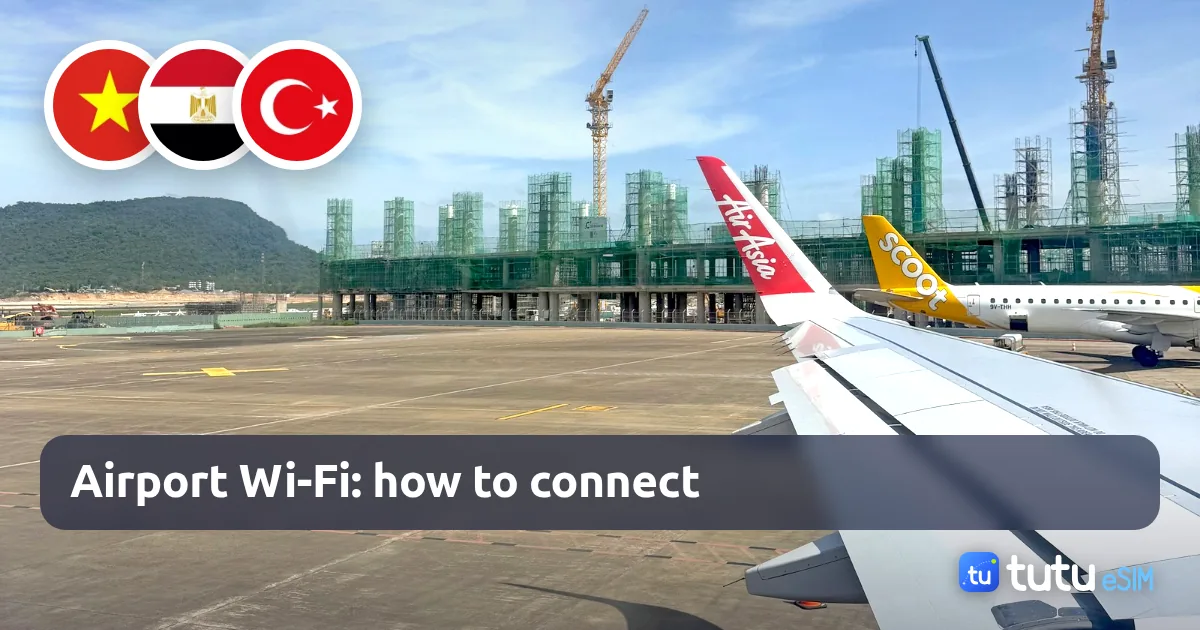
What we don't know: whether there's a time limit and which parts of the terminal are covered. Neither the airport nor the guides publish this, and one connection wasn't enough to check. A new terminal is being built next to the current one (it's on this article's cover), so things may change.
Also useful in Vietnam: Grab for taxis and delivery, a bank card and some cash in dong. eSIM for Vietnam: Vietnam, from $2.49.
How to connect: Join #WIFI@PhuQuocAirport: a page with ads opens, tap «KẾT NỐI INTERNET (INTERNET ACCESS)» at the bottom. No code or phone number needed.
📶 network: #WIFI@PhuQuocAirport
Checked by us on the spot, 13.11.2026Other airports: Georgia, Montenegro, Tunisia, Bali, transfers
The other 18 airports in our database. Fewer details here: official sites often just say “Wi-Fi is free” without saying how to log in.
| Airport | What we know | Source |
|---|---|---|
| Tbilisi (TBS) | Network “Tbilisi Loves You” or “Airport Free Wi-Fi”, tap “Agree and Continue”, no registration. Most seating and public areas. | official site |
| Kutaisi (KUT) | Open network with an activation page. Time limit: sources disagree (Sleeping in Airports: none, flygeorgia.ge: 60 min). | Wander-Lush, 11.11.2026 |
| Batumi (BUS) | Free Wi-Fi throughout the terminal. The site doesn't say how to log in. | official site |
| Podgorica (TGD), Tivat (TIV) | Wi-Fi is free. The site doesn't say how to log in. | official site |
| Tirana (TIA) | Free Wi-Fi for passengers and guests. A 2017 review mentioning 30 minutes is probably out of date. | official site |
| Enfidha (NBE) | Network TAV_Free_WiFi, then follow the on-screen steps. All areas: check-in, departures, gates, arrivals, baggage claim. | official site |
| Monastir (MIR) | Network TAV FREE WIFI, the whole terminal. | official site |
| Bali (DPS) | Network NgurahRai, no password. Other sources call it NgurahRaiFreeWifi, and one guide mentions signing up in the browser. | Roamless, 09.11.2026 |
| Colombo (CMB) | Free Wi-Fi only in some areas. Sessions used to be about 3 hours; not confirmed now. | Layover Index, 20.05.2026 |
| Malé (MLE) | Network Airport Wi-Fi. An old official guide says you need a local SIM or a SIM with roaming, free for 25 min after check-in (a 2020 news item: 1 hour). | old official guide |
| Warsaw (WAW) | Network Chopin-Airport, no login or payment; the connection drops every 2 hours and you reconnect. | Infolotnicze, 2014 |
| Krakow (KRK) | Network KRK Free WiFi. 15 min per the guide; a reader in 2023 got over an hour. | Sleeping in Airports, 05.03.2026 |
| Katowice (KTW) | Free Wi-Fi for up to 60 min (other aggregators say no limit). | Sleeping in Airports, 26.02.2026 |
| Rzeszów (RZE) | Network rze_free_wifi. | Sleeping in Airports, 25.03.2026 |
| Chișinău (KIV) | Free Wi-Fi for up to 5 hours within 3 days. | Sleeping in Airports, 09.02.2026 |
| Iași (IAS) | Network IASI AIRPORT T4. | Sleeping in Airports, 25.02.2026 |
| Budapest (BUD) | Network bud:free wifi, sign up with an e-mail, up to 4 hours a session (older sources: 2 hours). | Sleeping in Airports, 21.01.2026 |
| Satu Mare (SUJ) | Nothing found: the official site doesn't list Wi-Fi among its services. | official site |
Tbilisi deserves a mention: the official site says plainly that no registration is required and advises turning off mobile data to avoid roaming charges. The Maldives is the opposite: an old official guide says you need a local SIM or a SIM with roaming, and it's free for only 25 minutes after check-in. Full cards for every airport, with search: airport Wi-Fi.
Common problems and what to do
Most of the time the Wi-Fi “doesn't work” because of the phone, not the airport. Here's what helps.
The sign-in page won't open. You've joined the network, but no window appears and nothing loads. Open any simple website in Safari: the phone should redirect you to the sign-in page. If not: Settings → Wi-Fi → tap (i) next to the airport network → “Forget This Network”, then join again. Turning Wi-Fi or airplane mode off and on for a minute sometimes helps too.
A VPN is on. The airport sign-in page often won't open while a VPN or iCloud Private Relay is running. Turn them off while you sign in, then back on once you're online if you need them.
The SMS code doesn't arrive. Check three things. First, your home SIM must be in the phone and registered on a local network (the operator's name shows at the top). Second, enter the number in international format; in Cairo, per Layover Index, 00 + country code works. Third, some airports reportedly don't send codes to foreign numbers at all; travellers say so about Sharm El Sheikh. Then look for a passport kiosk (Antalya, Istanbul) or don't waste your time.
Roaming can cost money. You can usually receive the code on your home SIM, but there's a catch: as soon as the SIM connects, the phone may start using mobile data in roaming, which is expensive. So turn off “Data Roaming” for your main SIM while still on the plane (Settings → Mobile Data → your SIM → Data Roaming). Calls and texts keep working. To see what Ukrainian operators charge in a given country, use our roaming cost calculator.
The time ran out. In Antalya after an hour, in Phuket after 60 minutes, in Sharm after 15. Reconnecting isn't officially described anywhere, so don't count on it.
The bank won't let you in. Banking apps usually work on public Wi-Fi, but logins or payments may be confirmed by SMS to your “financial” number. So keep your home SIM in the phone with calls and texts on. If your bank shows an error abroad: “What does not work in the UAE, Egypt, Turkey and China: WhatsApp calls, VPNs, banks (2026)”.
You can't see the network. We give network names from the sources, but airports change them. Look for a network with the airport's name or the word Free. If there are several, pick the one shown on the signs in the terminal.
If mobile data still doesn't come on after you leave the airport, see “Mobile Data Not Working Abroad? Roaming Limits + 12 Fixes (2026)”.
Is airport Wi-Fi safe?
In short: for messengers, maps and banking apps, yes, if you follow a few simple rules. Banking apps and messengers encrypt your data themselves.
- Check the network name. Join the network with the airport's name, not a similar “Free WiFi” from a café next door.
- Don't enter card details on the sign-in page. None of the 29 airports in our database charges for its free Wi-Fi. If the page asks for a card, it's a paid network or not the airport's.
- Look for the padlock. Open e-mail and accounts in their apps or on https sites.
- After the trip, forget the airport network so your phone doesn't join it automatically.
Which is easier: Wi-Fi or an eSIM that works as soon as you land
The honest answer: it depends on the airport and on what comes after it.
Wi-Fi is enough if you're flying to Dubai or Tbilisi, you have a connection of a few hours, or the hotel transfer is meeting you and you only need to text your family. Wi-Fi is free, and at these airports it works without codes.
An eSIM is easier if:
- you're flying to Sharm El Sheikh, where travellers say the code only goes to Egyptian numbers and you get 15 minutes;
- in Antalya you'd rather not hunt for a kiosk and queue with your passport, and the hour will run out before the hotel;
- you need to call a taxi or Grab, show the driver the address and open a map on the road: Wi-Fi ends at the terminal exit;
- you have kids and several phones, and each one has to sign in separately.
You install the eSIM at home over Wi-Fi, and after landing you simply switch mobile data to it: the internet is there on the airstairs, with no kiosks or codes. Your home SIM stays in the phone for calls and bank texts. Whether an eSIM or your operator's roaming is cheaper, the roaming cost calculator will show, and prices of different eSIM providers by country are in our eSIM price comparison.
Sources
Official airport pages and guides were checked on 12 November 2026, Phu Quoc Airport on 13 November 2026. For unofficial sources the date of the page itself is in brackets. Things change, so see the current cards in our Free airport Wi-Fi guide.
- Antalya Airport, official site: “Kablosuz İnternet Erişimi” (PIN at a kiosk, 1 hour free), checked 12.11.2026
- Istanbul Airport, official site: Wi-Fi (unlimited and free, SMS or passport), checked 12.11.2026
- Holafly: Istanbul Airport WiFi (page of 06.03.2026, says 1 hour), checked 12.11.2026
- Sabiha Gökçen Airport, official site: “Kablosuz İnternet”, checked 12.11.2026
- Roamless: Sabiha Gökçen Airport WiFi (page of 09.11.2026), checked 12.11.2026
- Roamless: Dubai Airport WiFi (page of 09.11.2026), checked 12.11.2026
- Arabian Business: Dubai Airports offers unlimited free Wi-Fi (December 2016), checked 12.11.2026
- AOT, Phuket Airport, official site: Free Wi-Fi Access (e-mail, 60 minutes), checked 12.11.2026
- AOT, Bangkok Suvarnabhumi Airport, official site: Free Wi-Fi Access, checked 12.11.2026
- Tutu eSIM: checked ourselves at Phu Quoc Airport, screenshot of the #WIFI@PhuQuocAirport sign-in page, checked 13.11.2026
- Sleeping in Airports: Hurghada (page of 25.02.2026), checked 12.11.2026
- Travel Extra: Hurghada airport guide (28.09.2025), checked 12.11.2026
- Sleeping in Airports: Sharm el-Sheikh (page of 31.01.2024, undated review), checked 12.11.2026
- Layover Index: Cairo (01.05.2026), checked 12.11.2026
- Holafly: free internet at Cairo airport (07.07.2026), checked 12.11.2026
- Tbilisi Airport, official site: Internet Wi-Fi, checked 12.11.2026
- Wander-Lush: Kutaisi airport (11.11.2026), checked 12.11.2026
- Batumi Airport, official site: Internet Wi-Fi, checked 12.11.2026
- Airports of Montenegro, official site: FAQ (Podgorica and Tivat), checked 12.11.2026
- Tirana Airport, official site: Free Wireless Internet, checked 12.11.2026
- Enfidha-Hammamet Airport, official site: Free WiFi, checked 12.11.2026
- Monastir Airport, official site: Free WiFi, checked 12.11.2026
- Roamless: Bali Airport WiFi (09.11.2026), checked 12.11.2026
- Layover Index: Colombo (20.05.2026), checked 12.11.2026
- Velana Airport (Malé), official site: old passenger guide (search snippet), checked 12.11.2026
- Infolotnicze: Wi-Fi at Chopin Airport (21.08.2014), checked 12.11.2026
- Sleeping in Airports: Krakow (05.03.2026), checked 12.11.2026
- Sleeping in Airports: Katowice (26.02.2026), checked 12.11.2026
- Sleeping in Airports: Rzeszów (25.03.2026), checked 12.11.2026
- Sleeping in Airports: Chișinău (09.02.2026), checked 12.11.2026
- Sleeping in Airports: Iași (25.02.2026), checked 12.11.2026
- Sleeping in Airports: Budapest (21.01.2026), checked 12.11.2026
- Budapest Airport, official site: Free Wifi, checked 12.11.2026
- Satu Mare Airport, official site: services (no Wi-Fi mentioned), checked 12.11.2026
How to buy an eSIM from Tutu eSIM
Tutu eSIM is a Ukrainian travel eSIM service with mobile data for 197 countries and regions. Today's prices for the countries in this article:
- Egypt: from $3.49, 5 GB for 30 days $10.49, a week of unlimited $23.49.
- Turkey: from $1.99, 5 GB for 30 days $6.49, a week of unlimited $14.99.
- UAE: from $3.49, 5 GB for 30 days $10.99, a week of unlimited $27.99.
- Thailand: from $2.99, 5 GB for 30 days $6.99, a week of unlimited $14.99.
- Vietnam: from $2.49, 5 GB for 30 days $10.19, a week of unlimited $17.99.
- Check that your phone supports eSIM in “Compatible devices”. Every iPhone from the XS and XR does.
- Choose the country and plan on the website or in our Telegram bot @tutuesimbot and pay by card, Apple Pay or Google Pay.
- The QR code and an install button arrive by e-mail within a minute. Install the eSIM at home over Wi-Fi as described in the installation guide.
- After landing, switch mobile data to the eSIM, turn off data roaming on your main SIM and keep its calls and texts for the bank.
If the eSIM doesn't install, we refund you.
FAQ
Is there free Wi-Fi at Antalya Airport?
Yes. According to the airport's official site, a Wi-Fi kiosk in the arrivals or departures hall gives you a PIN for your phone number, ID card or passport. 1 hour free, no limit in the CIP lounge and other lounges (checked 12.11.2026).
How do I connect to Wi-Fi at Istanbul Airport?
At the new airport (IST) the network is iGA: “Login with Mobile” and a password by SMS, or a passport scan at a kiosk. Officially no time limit. At Sabiha Gökçen (SAW) the network is Free Wi-Fi, also SMS or passport; the time limit was dropped on 26.03.2025 according to Roamless.
Will the Wi-Fi SMS code reach a foreign number?
It depends on the airport. Istanbul has a passport kiosk as a fallback. In Cairo, per Layover Index, a number written as 00 + country code “usually” gets the code. In Sharm El Sheikh, one traveller says codes aren't sent to foreign numbers.
Is there Wi-Fi at Hurghada Airport?
Yes, free and across the terminal, but you need to register on the sign-in page (Travel Extra, 2025; Sleeping in Airports, 2026). Sources don't say exactly how or whether an SMS code is needed; the airport has no official Wi-Fi page.
Do I need a phone number for Wi-Fi at Dubai Airport?
No. DXB Free WiFi has no password: open a browser and tap “Get Online Now”. No time limit, all terminals (Roamless, November 2026).
How long is the free Wi-Fi at Phuket Airport?
60 minutes. Network AOT Airport Free Wi-Fi by NT, sign in with an e-mail and accept the terms, no SMS (AOT official site, checked 12.11.2026). The same in Bangkok.
How do I connect to Wi-Fi at Phu Quoc Airport?
Join #WIFI@PhuQuocAirport: a page with ads opens, scroll down and tap «KẾT NỐI INTERNET (INTERNET ACCESS)». No code or phone number. We checked this ourselves on 13.11.2026; we don't know the time limit.
What if the Wi-Fi sign-in page won't open?
Turn off your VPN, open any website in Safari, and if that doesn't help, forget the network in Wi-Fi settings and join again. If it still fails, don't waste time: an eSIM installed at home works without any sign-in page.
I got tired of overpaying for SIM cards that didn't work and of searching for where to go next. So I built this site: travel guides and an eSIM that just works.

Need data on your trip?
An eSIM for 197 countries in a minute — no roaming, no paperwork.
Pick a countryBefore your trip: Egypt
Popular destinations

More articles

Where Roam like at home works for Kyivstar, Vodafone Ukraine and lifecell: 27 EU countries by law, the UK, Norway and Moldova on operators' own terms, Turkey outside. How many GB your plan gives, extra charges, ferries and traps.
20 min read · Read →
A week of roaming with no pack costs UAH 3 150–7 700 per phone. Kyivstar, Vodafone Ukraine and lifecell in 25 countries: packs, Kyivstar's Travel SIM, Vodafone's €100 limit, a family in Egypt, Turkey, Thailand, Dubai.
25 min read · Read →
WhatsApp and FaceTime calls are blocked in the UAE, patchy in Egypt, and China's local networks have no Google or Instagram. What works in 8 countries, VPN rules, Ukrainian banks and Diia: every fact with a source and a date.
22 min read · Read →
Airalo, Yesim, Saily, Nomad, Holafly and Tutu eSIM prices for 1–20 GB and unlimited in Egypt, Turkey and the UAE, with check dates. Where we are cheaper, where we are not, and how Kyivstar, Vodafone and lifecell roaming compares.
25 min read · Read →
How to tell in 10 seconds whether your phone has eSIM: the *#06# code and the EID line, the menu paths on iPhone and Android. A table of Apple, Samsung, Pixel, Xiaomi and Motorola models, look-alikes without eSIM and what to do if you have no eSIM.
16 min read · Read →
How many GB a family needs for Egypt, Turkey or Thailand: data use for video, social media and calls with sources, four typical families worked out, one shared eSIM or one each.
18 min read · Read →